Play with a plan
Project Zomboid. A new perspective.
Press O for Viewpoint; use Shift + O to switch first and third person. If nothing happens, confirm ZombieBuddy loaded before changing camera settings. The base game uses an isometric view; Viewpoint adds first- and third-person cameras, with optional 3D object packs. Start with the required loader files for Build 42.21.
Find a guide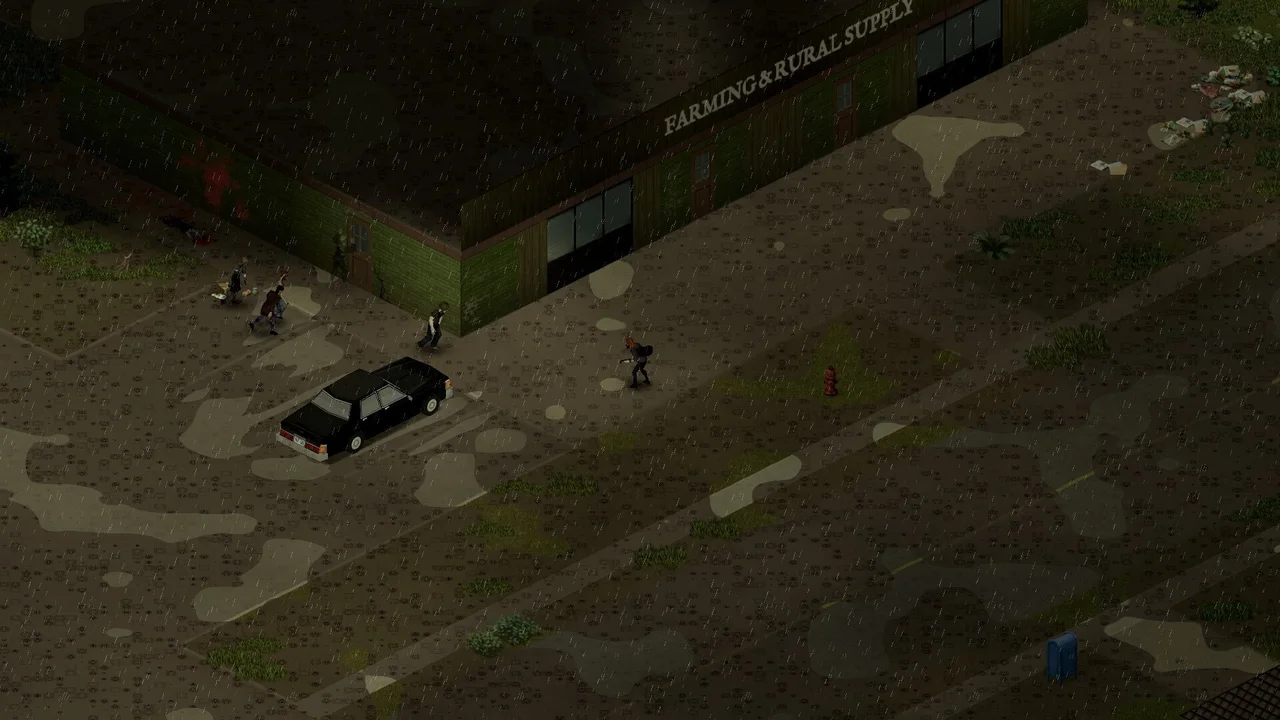
YouTube · installation tutorial
Watch the updated loader setup
Dookie Dungeons explains the newer ZombieBuddy setup. Pair the video with our platform-specific guide; the older temporary-fix tutorial is superseded for v2.3.4.
Read the installation steps →Find your next guide
What are you working on?
Setup & servers
Choose your mod stack, verify Java loading and recover updates before checking a server.
- Install Viewpoint and fix an unresponsive O keyCheck ZombieBuddy loading, Windows normal versus alternate launch, Mac/Linux setup and Viewpoint activation before troubleshooting the O key.
- Choose a minimal Viewpoint mod list for Build 42Separate required Viewpoint loader files from optional models, controls and weather, then add only the features you want to a test world.
- How to check whether a Project Zomboid Java mod is loadedUse Zed’s Better ModList to distinguish enabled, loaded, blocked and persisted Java mod states before diagnosing a Viewpoint feature.
- Reset a declined ZombieBuddy Java mod approvalReview an updated Java file or undo one mistaken denial without deleting all ZombieBuddy settings or enabling an allow-all policy.
- Restore ZombieBuddy after a game update or Steam verificationDiagnose a previously working Viewpoint loader after an update, preserve launch settings and approvals, and distinguish missing runtime from a changed Java file.
- Check Build 42 Stable, Unstable and Viewpoint compatibilityUse the current 42.21 release status, match client/server versions and check mod requirements before following an old beta tutorial.
- Back up Project Zomboid saves before adding Viewpoint modsCopy a complete world safely, keep version and mod notes, and avoid mixing backup files or treating a client save as a full server backup.
- Find console.txt and report a Build 42 Viewpoint errorCollect the failed run’s log, identify Viewpoint lines, and send versions, GPU and reproduction steps without treating every warning as the cause.
- Viewpoint on Steam Deck, Mac and controllers: what to checkSeparate base-game Steam Deck verification from Viewpoint add-on support, platform loader instructions and controller limitations.
- Set up Viewpoint QOL and Simple Mod Check for a serverSeparate server ini entries from each player’s Java setup, then establish a Simple Mod Check staff baseline with Enforce off.
- Browse all setup & servers →Choose a path through 10 guides.
Camera & graphics
Choose your perspective, add 3D models and trace blur, shaders or weather effects.
- Viewpoint camera controls, FOV and shader presetsUse O, Shift+O, Free Cam and Delete to choose first person, third person, mouse settings and Vanilla, Default or Vivid presets.
- Install Viewpoint 3D models and diagnose missing objectsSet up the 6244 model pack in the right order, distinguish missing models from roof clipping, and prepare a useful object report.
- Diagnose blurry Viewpoint graphics and FPS dropsSeparate blur, frame-rate drops and scope or storm cost, compare a simple preset, and report a repeatable problem without a universal GPU fix.
- Find Viewpoint shader packs and avoid outdated Dreamy settingsLocate the custom shader-pack folder, use built-in presets as a baseline, and distinguish experimental Iris support from a guaranteed pack format.
- Set up True Weathers & Lighting without confusing its modulesSeparate Viewpoint weather visuals from optional server gameplay, find settings and reduce distant storm rendering cost.
- Find the weather forecast on a radio while using ViewpointFind your world’s emergency broadcast frequency, listen for the hourly forecast and separate base-game predictions from regional mod weather.
- Browse all camera & graphics →Choose a path through 6 guides.
Controls & combat
Find the correct input layer for cursor, loot, movement and aiming.
- QOL controls for mouse, inventory, loot and hotbarCurrent Project Viewpoint QOL defaults: Shift+wheel hotbar, Ctrl+wheel FOV, G actions, V loot destination and K loot-menu toggle.
- Advanced Movement controls: lean, prone, jump and shoveFind the new Viewpoint Movement keys and the vanilla actions they relocate, including shove, interact and flashlight.
- Use Viewpoint ADS, scopes and zeroingRaise sights with Recoil & ADS, check optic and input settings, and reduce picture-in-picture scope cost without inventing an FPS gain.
- Use Viewpoint Interface for loot, inventory and buildingChoose Interface interaction mode, split stacks, restore legacy windows and resolve controls that overlap QOL or Movement.
- Browse all controls & combat →Choose a path through 4 guides.
YouTube · model pack showcase
See what the 3D models change
The model pack author links this showcase. Supported furniture and props have depth; the pack remains an alpha and does not replace every object.
Set up models and check missing objects →Start with the right layer
- ZombieBuddy: the Java loader. Its loaded indicator is your first check.
- Viewpoint: the camera and rendering mod. Its controls are separate from QOL.
- QOL: optional cursor, loot and hotbar features on each player's PC.
- Simple Mod Check: a server's consistency check, not a general anti-cheat guarantee.
Choose a minimal mod list → · Check what actually loaded →
Back up a save before changing its mod set. These are author-documentation guides, not a claim that we tested your GPU, save or server.